
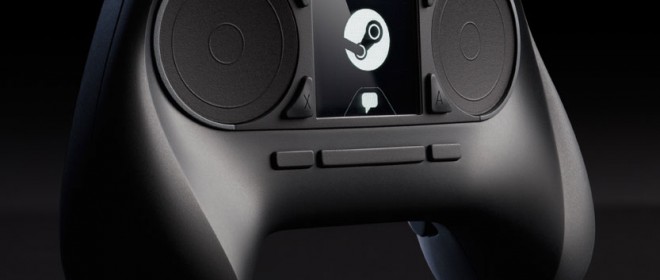
New gamepad will work with Valve’s upcoming line of living room PC hardware
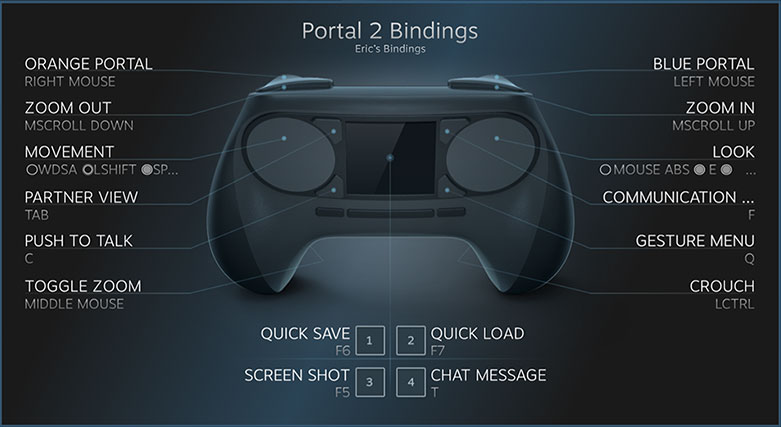
Numerous developers have released their impressions about Valve’s newly announced Steam Controller. Featuring sixteen buttons, touchscreen, and two haptic feedback trackpads. The official gamepad from Valve was shown last Friday and announced that gamers can customize to their play style.
 The new controller has been created for the new systems they are developing known as the SteamOS and Steam Machines, PC’s designed for having a computer in the living room experience for all players. The new systems are planned to be released in 2014 and many developers have received time to test out the controller and given their opinions on Kotaku.
Independent developer Ichiro Lambe of Dejobann Games found the controller confusing before his time with the controller. “This sounds weird, but it’s almost like rolling two weighted trackballs that are too large to actually fit into the controller. For camera controls, slide one thumb to the right, and you’ll feel this ticking, like you’re turning a physical control. Flick your thumb quickly, and this imaginary physical thing reacts like something with weight to it-the ‘trackball’ continues to roll for a bit, eventually coming to a rest. And since it’s all controlled through the software, the same trackpad then becomes more like a mouse or a laptop trackpad when you’re navigating through menus. Dynamic!”
He went on to say that the controller was, “familiar enough to be accessible, but much more precise for (say) anything WASD+mouselook”. He suggested it “makes FPS gaming more comfortable in a gamepad form factor, and translates other genres (anything where you’d need precise mouse control for gameplay or user interface) to the living room”
In his blog, a member of Team Meat, Tommy Refenes, went on to share his experience.
“I was able to play Meat Boy the way Meat Boy can be played on an advanced level (and I’m rusty at it). The right circle button was the jump button and we had both Triggers mapped to the Run button just like a regular Xbox 360 controller. We also had the Run button mapped to the back trigger buttons I mentioned before that can be pressed with your fingers on the back of the pad. This worked great but did lead to a bit of hand cramping. I think this is due more to the way you use the run button in Meat Boy and not the design of the controller or the buttons.

“Spelunky requires Whip, Jump, Bomb, and Rope buttons. We configured the controller to play like an Xbox controller. So the left circle pad was once again used for the directional buttons, and the right circle pad was used as A, B, X, Y buttons in the orientation that you find on an Xbox Controller….I played through Spelunky and the controller worked great. As I was playing I was describing to the engineers the twitch movements that go into Spelunky… The Steam controller handled this just fine.”
Lambe had more to say about the matter with a fitting quote, “‘something satisfying'” about moving a physical stick and pressing a button with some resistance. “The immediate feedback that an analog stick gives you when you reach the extreme of a direction is useful. But how much of that is just a matter of what we’re used to?”
